Owner Portal Overview
Welcome to the MGCA Owner's Dashboard.
Within the Owner's Dashboard, you'll find a user-friendly interface that consolidates essential features, from financial statements and community announcements to building permit requests and event calendars. Our goal is to provide you with a transparent and efficient means of managing your property and staying informed about community matters.
Key features of the Owner's Dashboard include:
Owner Portal Main Menu
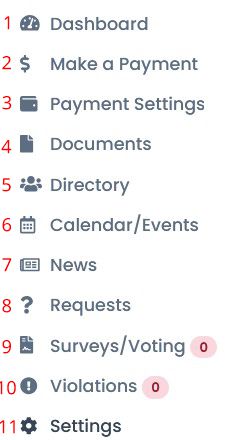
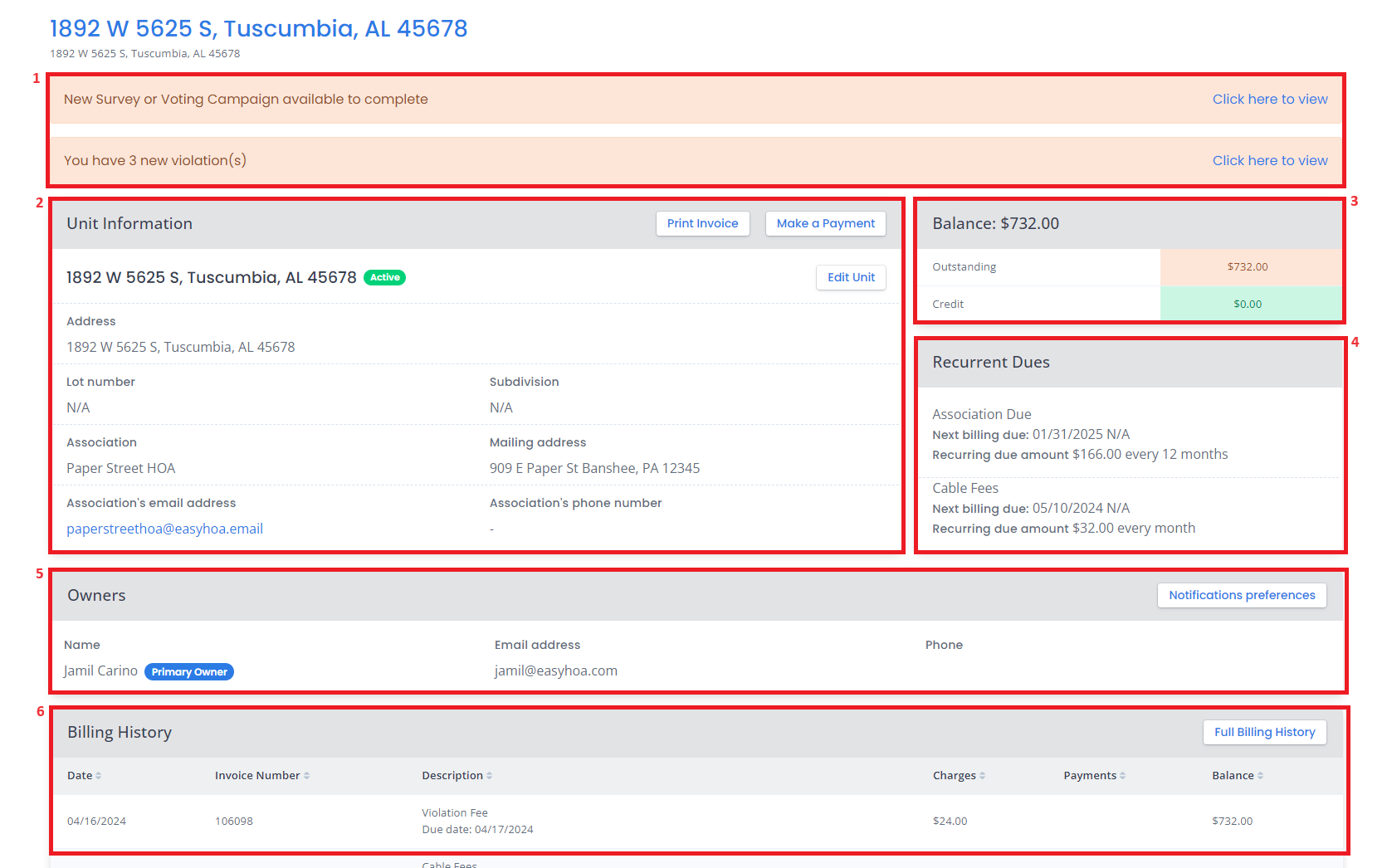
- "Dashboard" – You will be able to see most of the unit information in this panel such as:
1.1 Important Notification Panel – This is where you can see if you have a violation, new survey/voting available, etc
1.2 Unit Information – This is where you can see the unit address and Association information.
1.3 Balance – Outstanding and credit if there’s any.
1.4 Recurrent Dues – Due amount, due date and other recurring dues information.
1.5 Owners – Owner/s information such as phone number and email.
1.6 Billing History – You will be able to see here all of the transaction and the transaction details.
2. "Make a Payment" Here you will be able to see all of your unpaid items and the option to select which line item/s you want to pay.
3. "Payment Settings" This is where you can add your payment method and enable Auto Pay if you choose to pay online. Processing fees will apply. Checks can still be mailed to the office, simply note your property number on the check.
4. "Documents" On the documents page you can see all the documents that the MGCA Board of Managers has chosen to share with the owners. Most of these are also available on the main website under the Documents tab.
These include documents such as minutes, financial statements, governing documents, etc.
The folder called 'Specific Owner Documents' will have any files shared specifically with you as an individual owner vs. documents shared with all MGCA Members.
The folder called 'Unit Documents' will have any files shared specifically with you related to your MGCA property.
5. "Directory" This is where you can see the contact information shared by other owners. You and other owners also have the option not to share the contact information.
6. "Calendar/Events" - This button on the owner's portal is empty. For the MGCA Calendar of Events or any event postings, see the Calendar/Events tab on MGCA's website.
7. "News" - This button will link to any recent news postings. This is the same information available on the News tab on MGCA's website.
8. "Requests" This is where you can create a request and see the status of your request. Requests can be anything from a Building Permit Application, a Tree Concern, to a problem/issue you'd like to bring to the attention of our Buildings & Grounds team.
9. "Surveys/Voting" You will be able to see here the information for all the current surveys/voting of the MGCA. You can also see if you have already participated and see your response. As of March 2026, all MGCA voting will be done in owner portals unless other arrangements have been made with the office.
10. "Violations" If you have any violations of Rules & Regulations, you can see here the information of that violation by clicking on the hyperlinked name, type, status and the date created.
11. "Settings" This is where you can update the owner/account information such as the name, address, phone number, email, upload profile picture and request to change/reset the password.